Migration
The Migration Hub consolidates all supported migration sources into a single admin page with tabs. Use it to import accounts from cPanel, WHM, DirectAdmin, and HestiaCP without switching between separate tools.
Screenshot
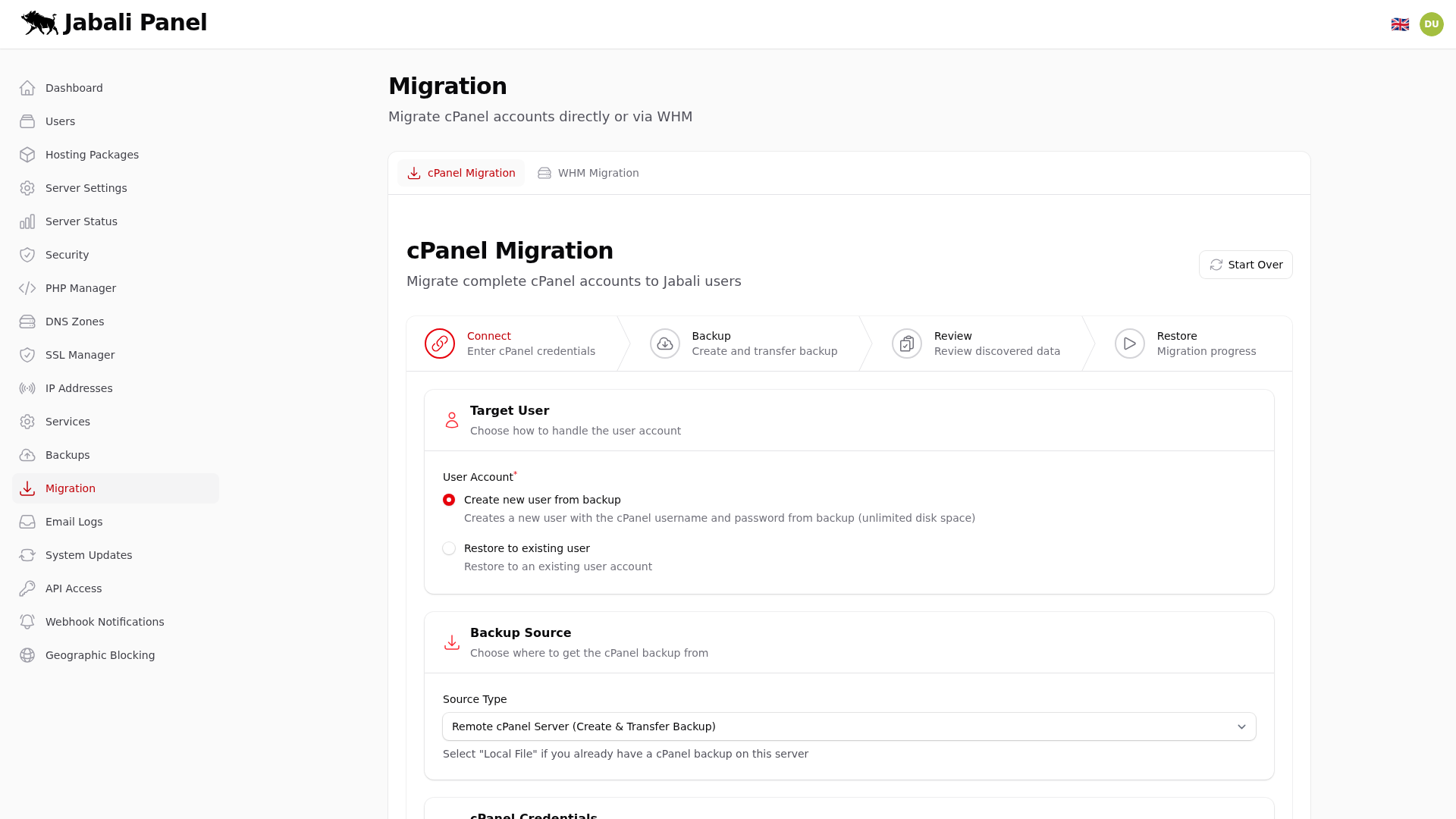
What this page does
- Provides a unified interface for migrating accounts from multiple control panels.
- Each migration source has its own tab with source-specific options and validation.
- Tracks migration progress and logs for troubleshooting.
Typical examples
- Migrate a batch of cPanel accounts from a remote server.
- Import a DirectAdmin reseller with all child accounts.
- Review migration logs after a partial failure to identify and retry failed items.
Tabs
This page contains tabs. Each tab is captured and explained below.
cPanel Migration
Migrate individual cPanel accounts by uploading a full backup or connecting to a remote cPanel server. Imports sites, databases, email, and DNS records.
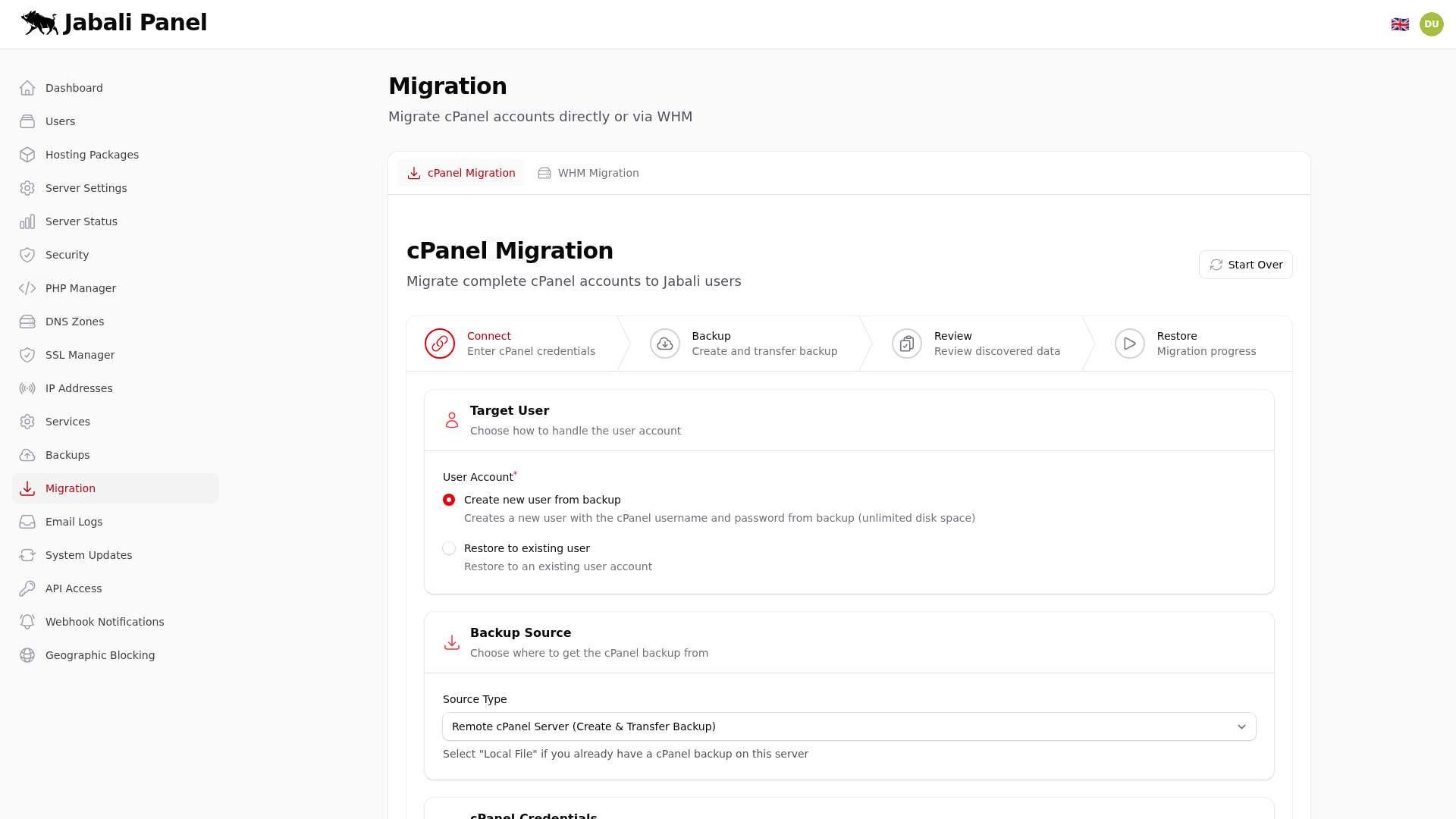
Example:
- Upload a cPanel full backup archive to import a single account.
- Connect to a remote cPanel server and select accounts to migrate.
WHM Migration
Migrate multiple accounts from a WHM server in bulk. Connects to the WHM API to list and transfer accounts with their full configuration.
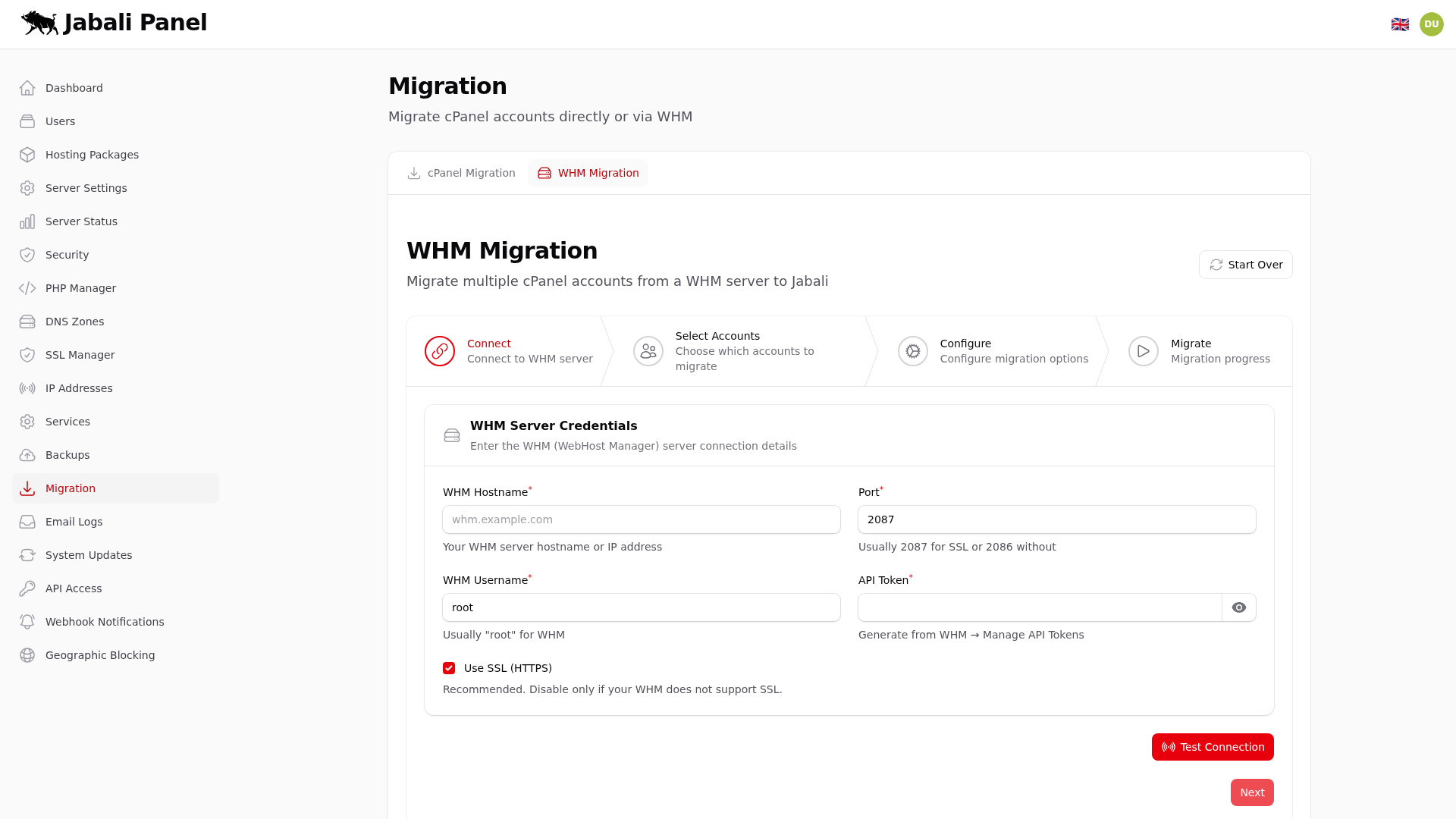
Example:
- Connect to a WHM server and migrate all accounts at once.
- Select specific accounts from the WHM account list for partial migration.
DirectAdmin Migration
Import accounts from a DirectAdmin server. Supports user-level backups and remote API connections for bulk transfers.

Example:
- Upload a DirectAdmin user backup to import a single account.
- Connect to a remote DirectAdmin server and select users to migrate.
HestiaCP Migration
Import accounts from a HestiaCP server. Supports user-level backups and remote API connections.

Example:
- Upload a HestiaCP user backup to import a single account.
- Connect to a remote HestiaCP server and select users to migrate.