Wordpress
WordPress tools for installs, updates, and security actions. Use this section to keep sites patched, stable, and recoverable.
Screenshot
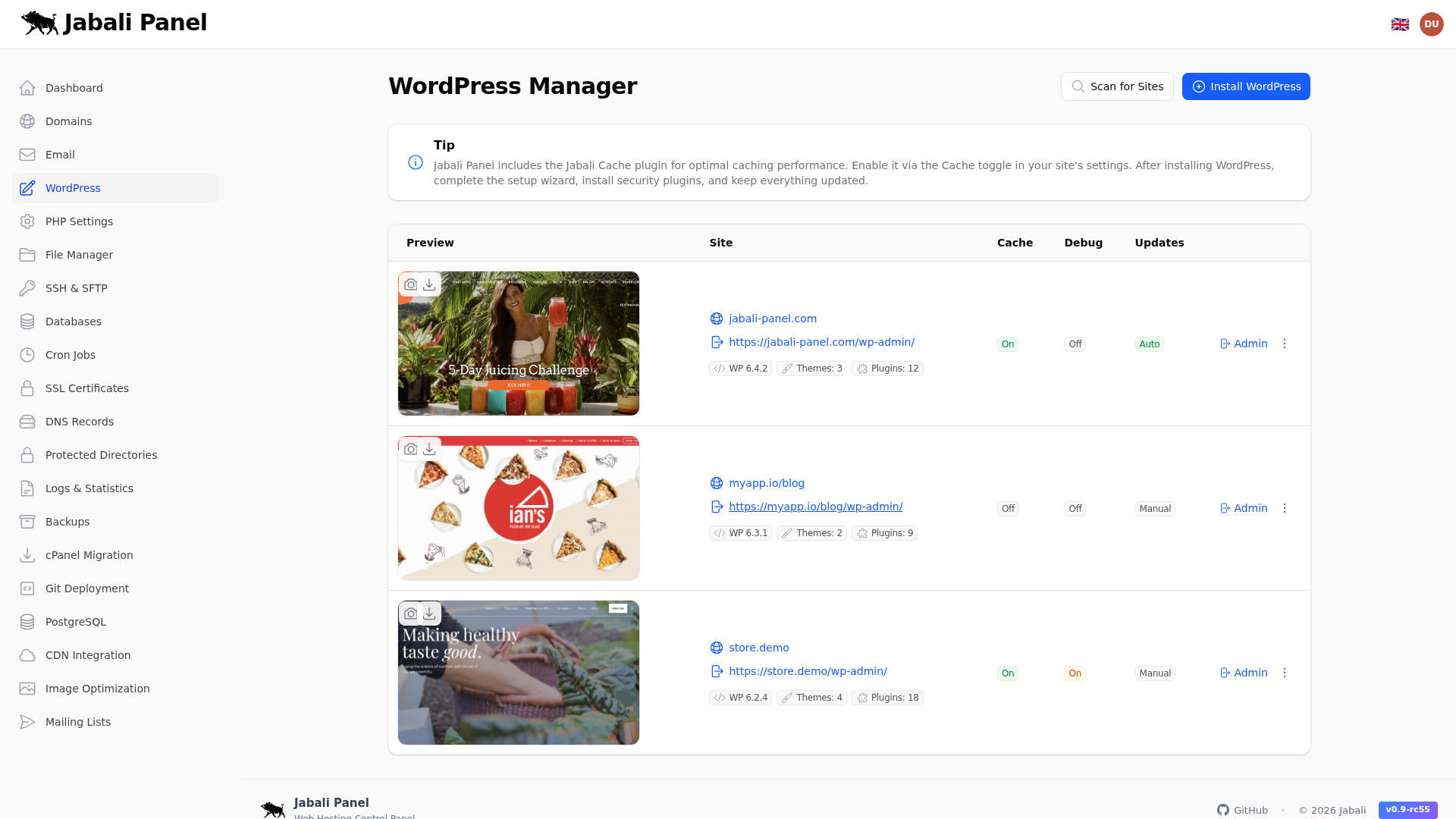
What this page does
- WordPress tools for installs, updates, and security actions.
- Install WordPress for a new site in one click.
- Run a security scan after updates.
Typical examples
- First-time setup of wordpress using recommended defaults.
- Updating an existing configuration and validating the result.
- Troubleshooting a common issue and confirming the fix.
WordPress staging
Create a staging copy of a WordPress site to test changes safely before applying them to production.
- Open the WordPress page for the site and click Create Staging.
- Jabali clones the site files and database to a staging subdomain.
- Make and test changes on the staging copy.
- When ready, click Push to Production to replace the live site with the staging version.
Page cache
Enable or disable per-site page caching using the built-in Jabali Cache plugin. Cached pages are served directly by Nginx, bypassing PHP for faster response times.
- Toggle page cache on or off from the WordPress page.
- Use Purge Cache to clear all cached pages after content changes.
- Cache is automatically purged when posts or pages are updated from the WordPress dashboard.
Redis object cache
Jabali includes a built-in Redis object cache drop-in for WordPress. Redis caches database queries and object data in memory to reduce load and speed up dynamic pages.
- Enable Redis object cache from the WordPress page.
- The drop-in is installed automatically; no manual plugin setup is required.
- Monitor Redis status and memory usage from the admin dashboard.
Security scanning
Run vulnerability checks on WordPress sites using the integrated WPScan engine. Scans check WordPress core, plugins, and themes against known vulnerability databases.
- Start a scan from the WordPress page or schedule automatic scans.
- Review scan results for outdated software, known CVEs, and insecure configurations.
- Take action on findings directly from the scan report (update, disable, or remove affected components).