Domains
Domain management for hosting sites, SSL, and DNS integration. It covers the core steps to point a domain correctly and verify it is live, as well as aliases, redirects, hotlink protection, and directory index configuration.
Screenshot
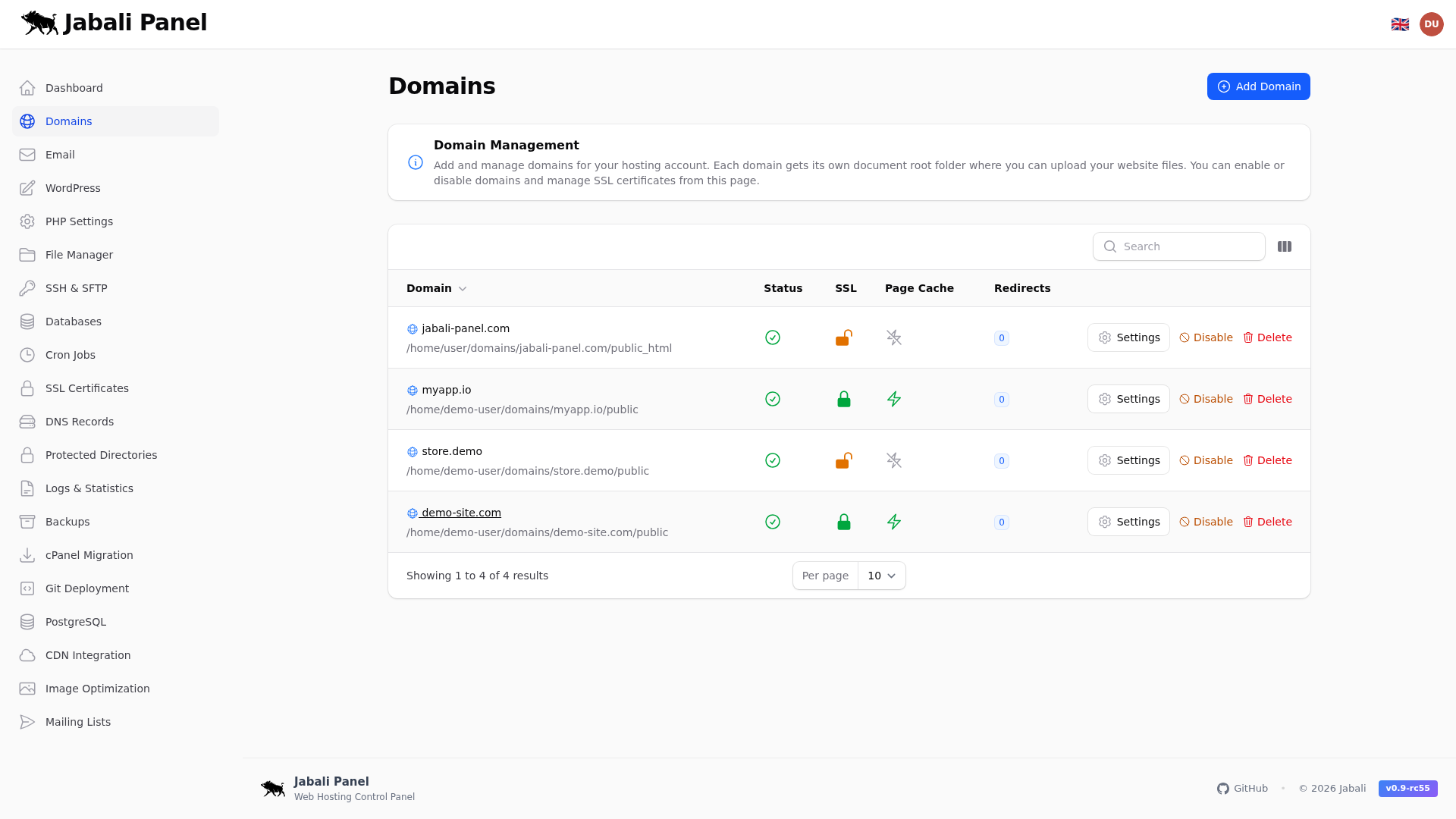
What this page does
- Domain management for hosting sites, SSL, and DNS integration.
- Add a new domain and issue SSL.
- Set a redirect when decommissioning a site.
- Manage domain aliases, redirects, hotlink protection, and directory index settings.
Typical examples
- First-time setup of domains using recommended defaults.
- Updating an existing configuration and validating the result.
- Troubleshooting a common issue and confirming the fix.
Domain aliases (parked domains)
Add alias domains that serve the same content as the primary domain. Alias domains share the document root and configuration of the parent domain, so visitors see the same site regardless of which domain they use.
- Add one or more alias domains from the domain detail page.
- SSL is issued automatically for each alias.
- Remove an alias at any time without affecting the primary domain.
Domain redirects
Configure 301 (permanent) or 302 (temporary) redirects at the domain level. Redirects can target a specific URL or use wildcard patterns to redirect entire path trees.
- Choose between 301 and 302 status codes.
- Use wildcard redirects to map all paths under a domain to a new destination.
- Redirects are processed before the web server serves any content.
Hotlink protection
Prevent other sites from directly linking to your images and files. When enabled, requests for protected file types that originate from external referrers are blocked or redirected.
- Enable per domain from the domain settings.
- Specify allowed referrers that should bypass protection.
- Choose which file extensions to protect (e.g., jpg, png, gif, zip).
Directory index
Configure the default directory index file served when a visitor requests a directory. This controls which file (e.g., index.html, index.php) the web server looks for first.
- Set per domain from the domain settings.
- Specify one or more index filenames in priority order.
- Changes take effect immediately without a server restart.